If you have a WordPress site, you may have heard some buzz around “Brute Force Attacks” on WordPress sites. This means the hackers keep hammering away on the login page of your site trying to gain 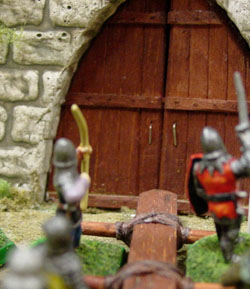 access. Like a battering ram at the door.
1) There are some things you can do to protect yourself. First of all, never create or keep a login with the user name “admin”. This is an auto-fill for WordPress installations–especially the One Click Install kinds. If your administrator login is “admin” don’t panic. Do the following:
- Log on to your WP site. On the Left navigation bar, hover on User and then click Add New User.
- Create a new user with a unique name–letters/numbers combo.
- Pick a Nickname that isn’t Admin or your new username. And select it to show publicly (author posts).
- Use another email address (you can change it back to the old one once the old one has been deleted).
- Pick a password combination that has capital/lowercase letters, numbers, and a unique character ($%&) in it.
- Give this new user ADMINISTRATOR rights. It’s a drop down menu choice.
- Save.
- Logout and log back in with the NEW username/password.
- Go to the User area again and delete the old “admin” user. Attribute posts to your new user nickname. Bam! You're ready for a glass of wine.
2) Install the Login LockDown plugin: http://wordpress.org/extend/plugins/login-lockdown/. This will lock anyone out of the site for an hour after 3 failed login attempts. You can set the parameters on this plugin for more or less knocks on the door. It’s free and it does exactly what it says.
3) Buy Backup Buddy and install it. Host backups off of your server using a service like Stash Buddy or Amazon 3S. Backup Buddy is essential to restore your site if you get hacked. It is necessary protection in the world wide webosphere. Just do it. Seriously.
4) Finally, keep your WordPress software package up-to-date with the latest release, and your plugins. Don’t have plugins installed that are inactive or you’re not using. Just delete the files–don’t leave it inactive on your site.
These are the easy steps to secure your site that anyone can do themselves. There are other steps you can take, and I encourage you to search the WordPress.org Codex or search on your host’s support site for specific actions you can take with your files.